OET Ultimacy App: OET Practice Tests on Your Android Phone
The OET Ultimacy app is the Android app of OET Ultimacy, on Google Play as OET Ultimacy: Practice Tests. It puts OET Listening and Reading mock tests, Listening Part A word practice, OET Writing, Speaking cards, OET Vocabulary and your study plan on your phone, with the same account and progress as www.oetultimacy.com, which has over 100,000 visits a month. It is made for healthcare professionals preparing for the OET.
Android 7.0 or later. No charge to install; some content needs Ultimacy Premium or a course.
The OET Ultimacy app at a glance
| Name on Google Play | OET Ultimacy: Practice Tests |
|---|---|
| Developer | OET Ultimacy |
| Where to get it | Google Play (package name com.oetultimacy.app) |
| Works on | Android phones and tablets with Android 7.0 or later |
| Price | No charge to install. Ultimacy Premium and OET courses are bought inside the app through Google Play. |
| Rated | Everyone |
| Sign in | Your email and a 6-digit code, or Google |
| Account | The same account, progress and plan as www.oetultimacy.com |
| For | Every healthcare professional preparing for the OET |
What you can do in the OET Ultimacy app
Eight screens from the app, as they appear on Google Play.
Everything in one place
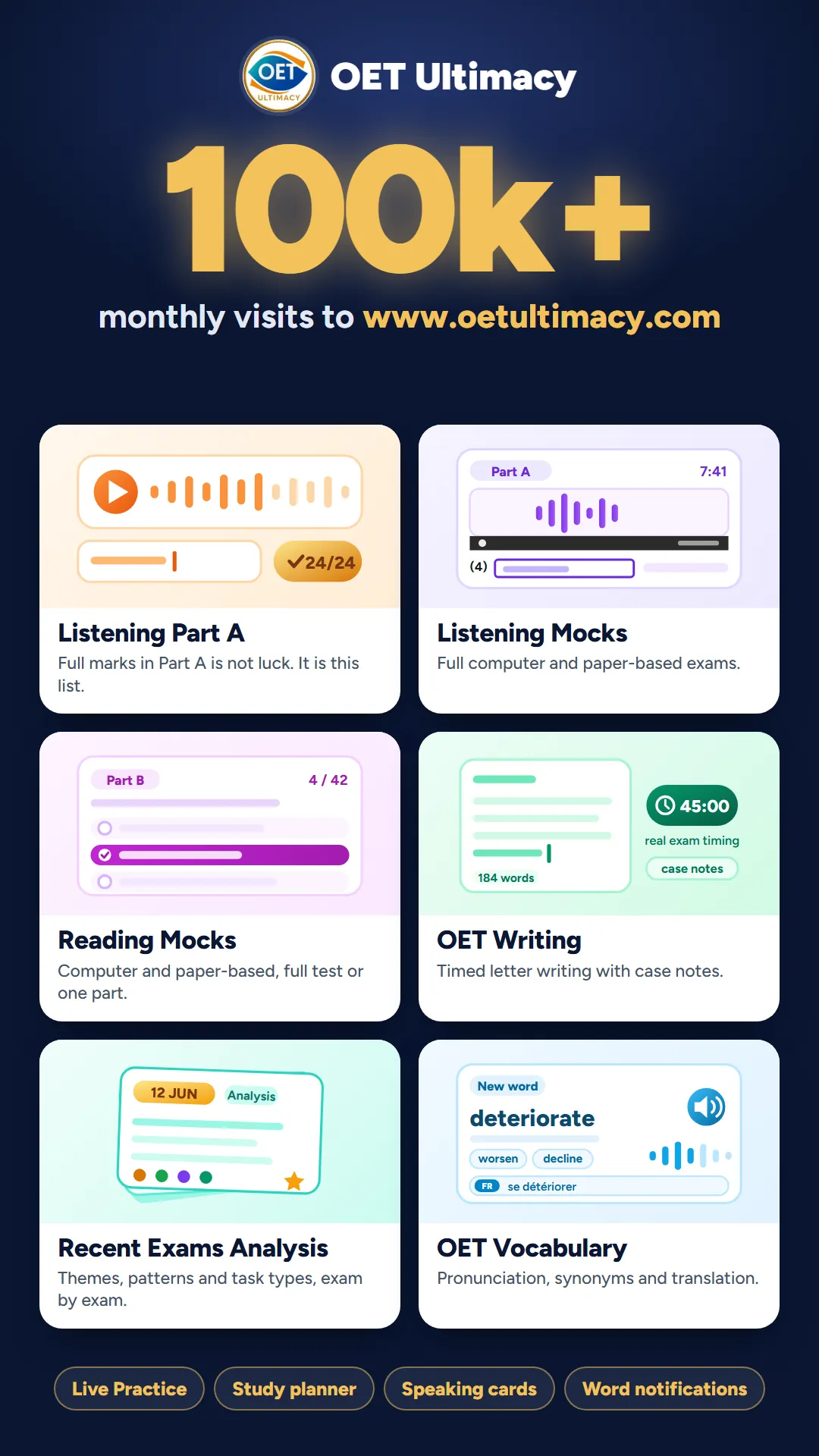
The Home screen opens every part of OET Ultimacy: Listening Part A, Listening mocks, Reading mocks, OET Writing, the recent exams analysis and OET Vocabulary, with Live Practice, the study planner, Speaking cards and word notifications one tap away.
OET Listening Part A practice, word by word
A list of words that can get you full marks in Listening Part A, in clear British audio, with spelling hints and a translation under every word. Type what you hear and a wrong spelling is corrected straight away. Part A word notifications keep you practising at the pace you choose.
Listening Part A practice on the website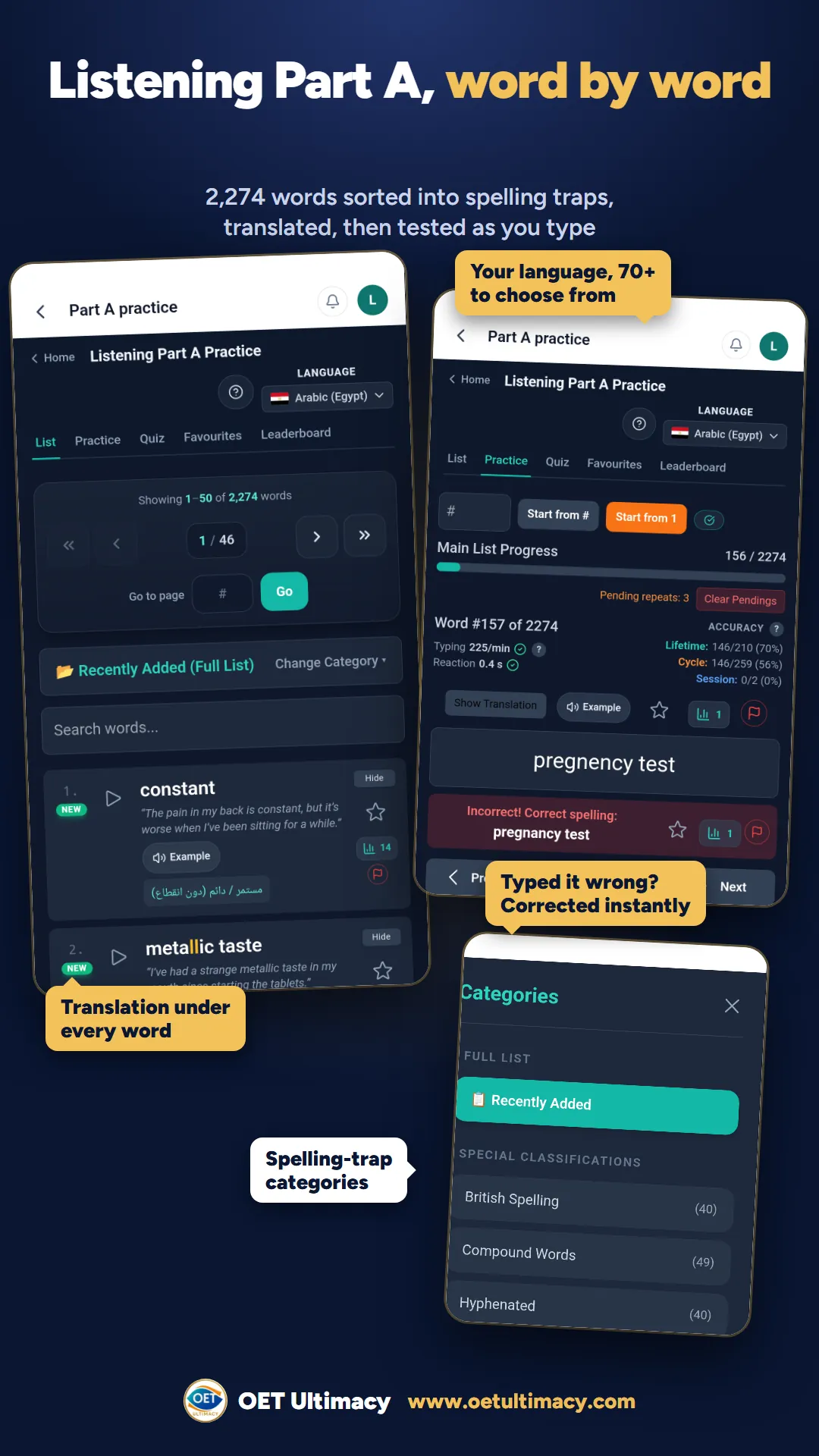
OET Listening mock tests
Full OET Listening tests, Parts A, B and C, timed like exam day, in computer-based and paper-based modes. After the test every answer is marked, you can replay the audio with subtitles, and you see your score next to the pass mark and the average.
OET Listening practice tests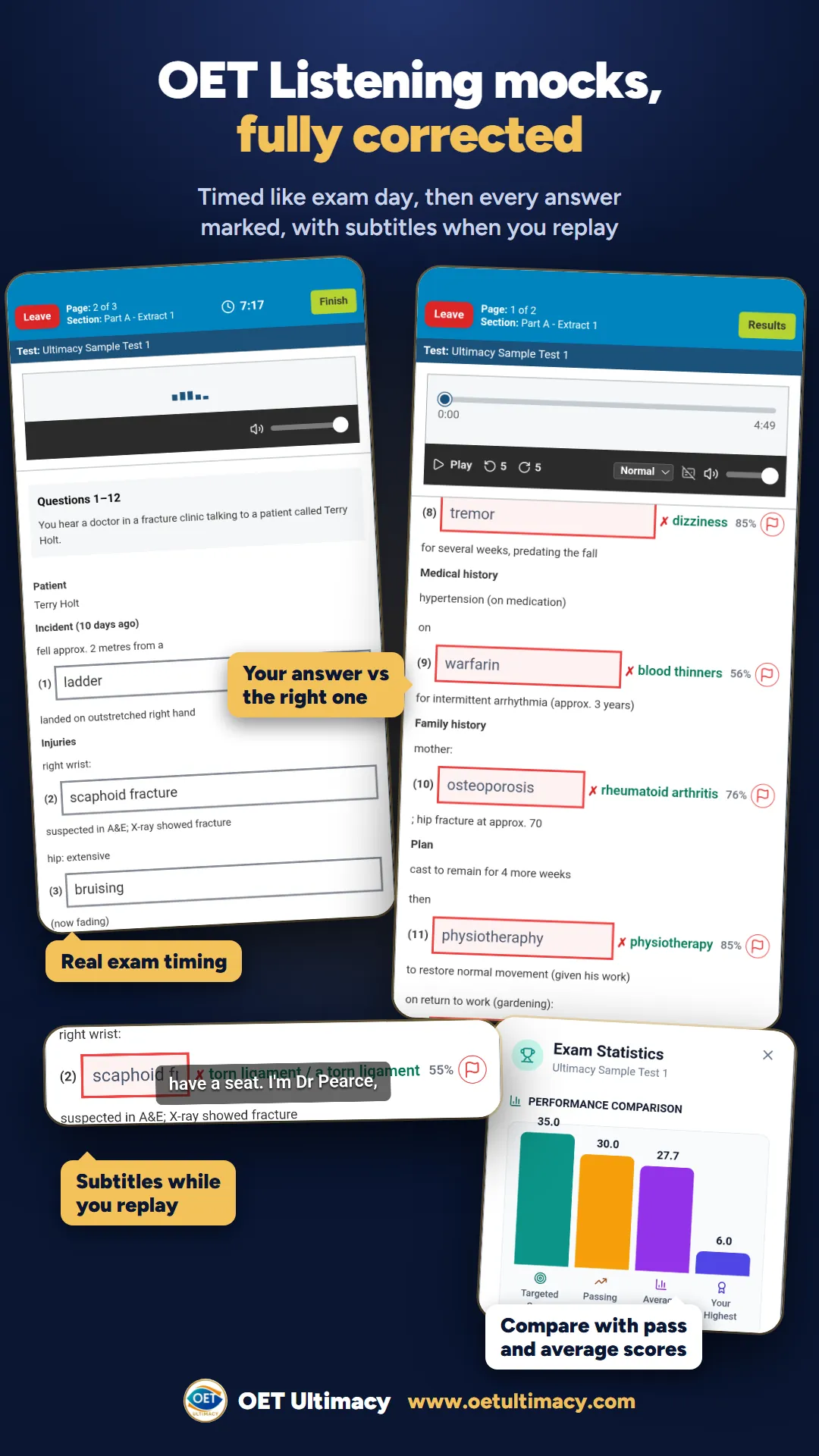
OET Reading mock tests
OET Reading Parts A, B and C as a full test or one part at a time, computer-based or paper-based. The text and the questions sit on one screen, like the computer test. Afterwards you see the right answer in green and how other candidates answered each question.
OET Reading mock exams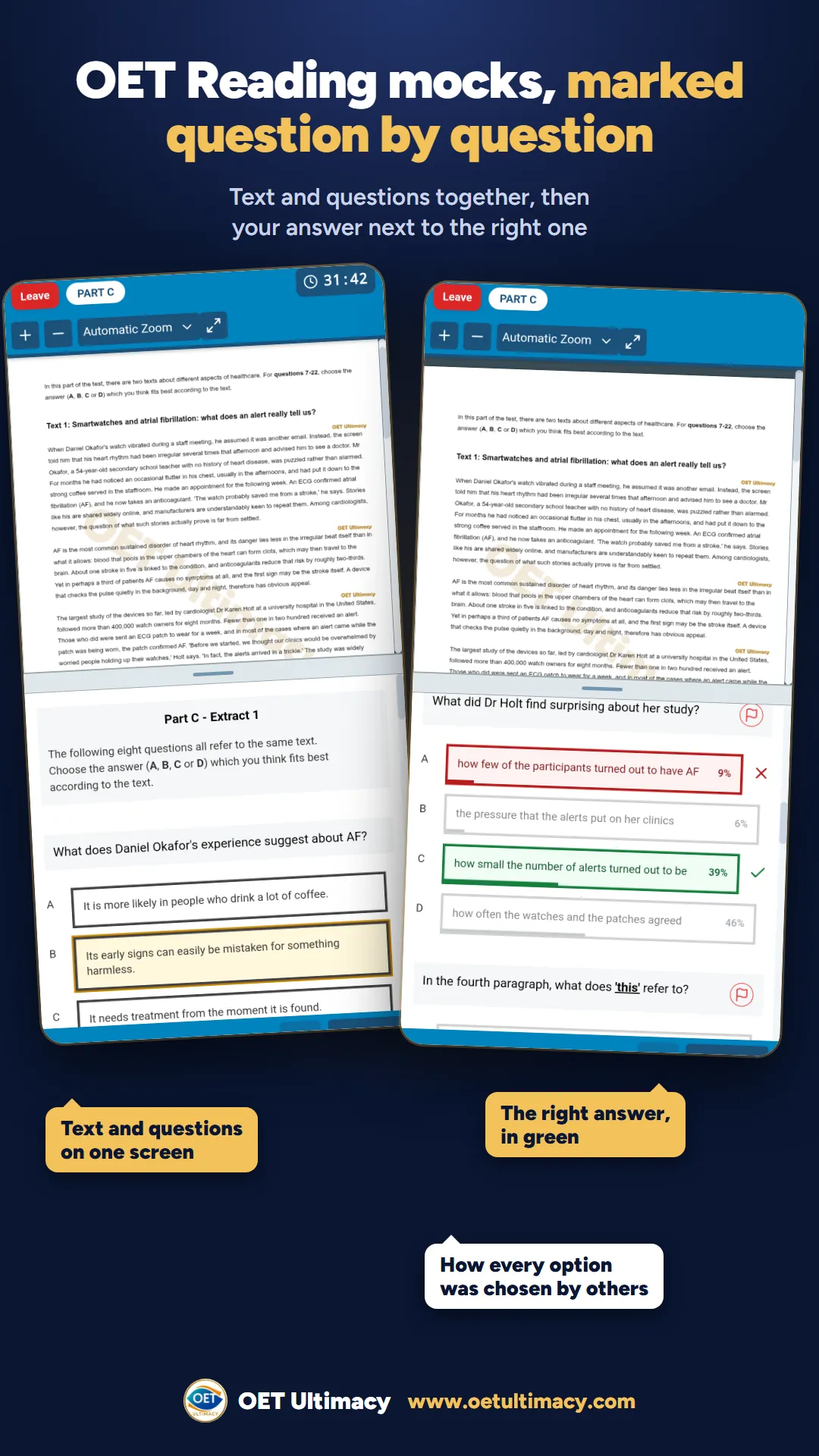
Recent OET exams analysis
Themes, topics and difficulty of recent OET exams, organised by exam date, for Listening, Reading, Writing and Speaking, so you see what has been coming up before you sit the test.
Recent exams analysis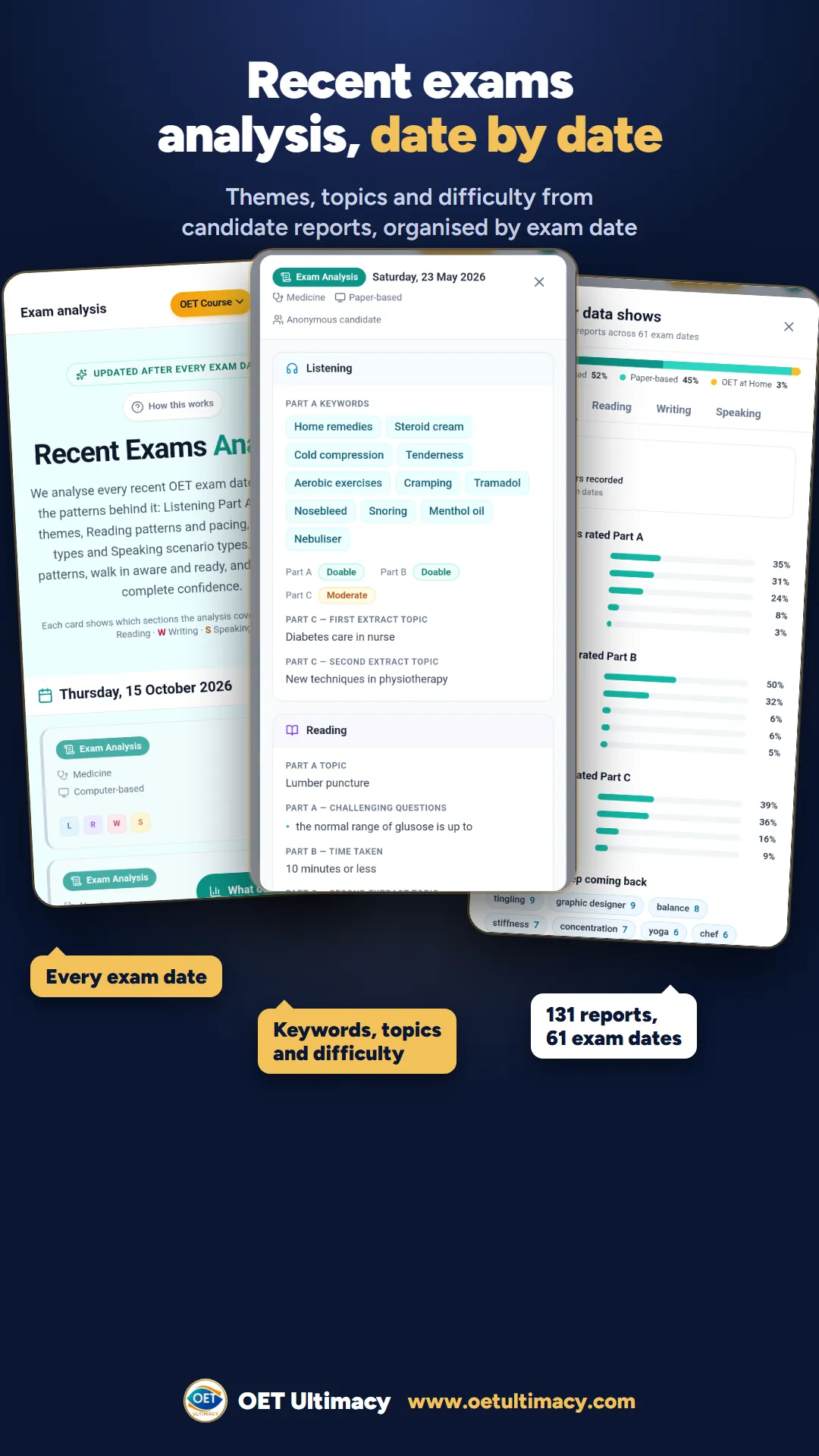
OET Writing practice under exam conditions
Case notes with 5 minutes of reading time, then 40 minutes to write your letter, with a live word count and your letters saved. Letter corrections come with a course.
OET Writing practice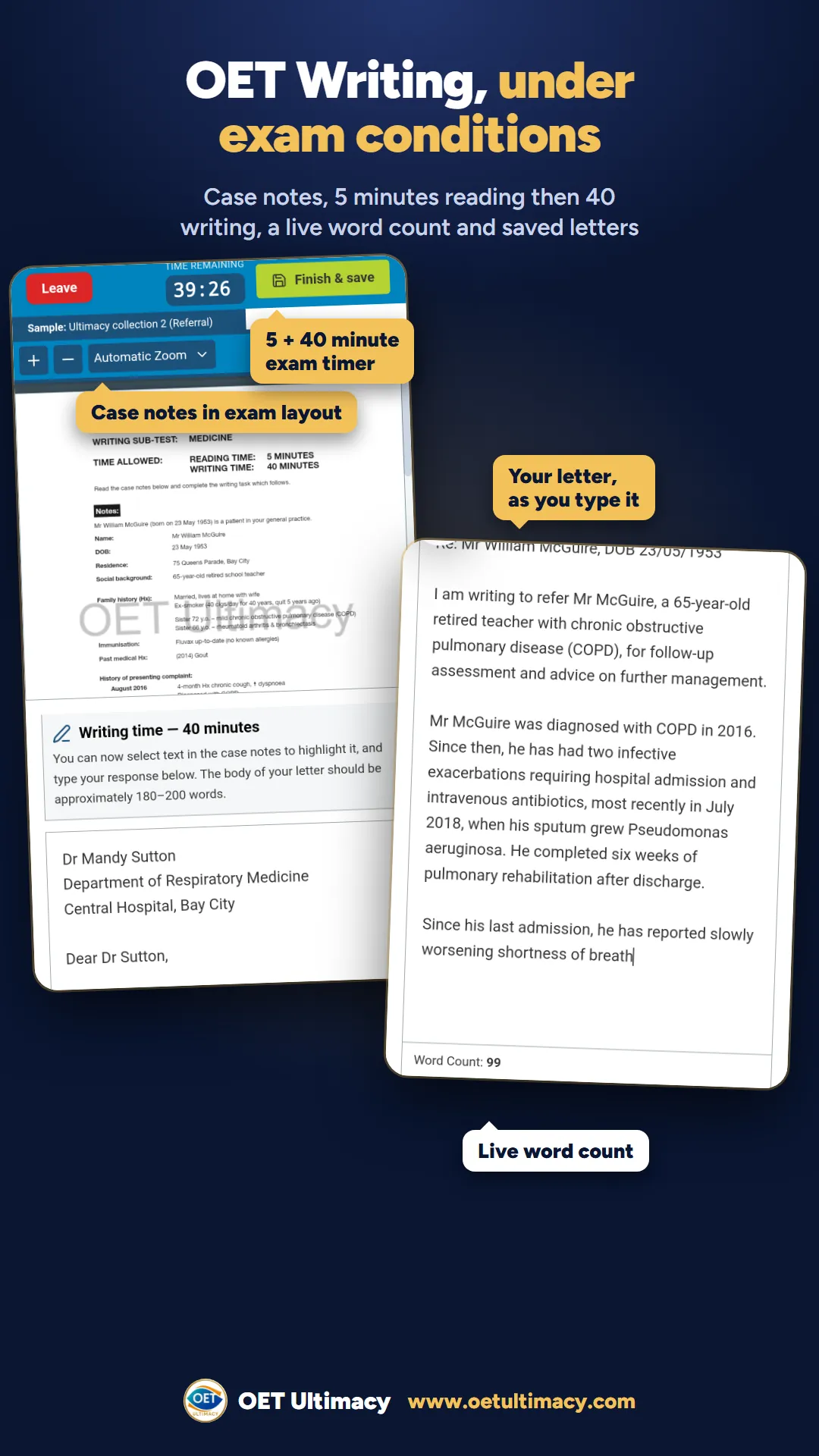
OET Vocabulary you can hear
Words for Listening and Reading Parts B and C, each with its meaning, synonyms and an example sentence, read aloud in British English and translated into your language. In the app, new words can arrive as notifications on your phone.
OET Vocabulary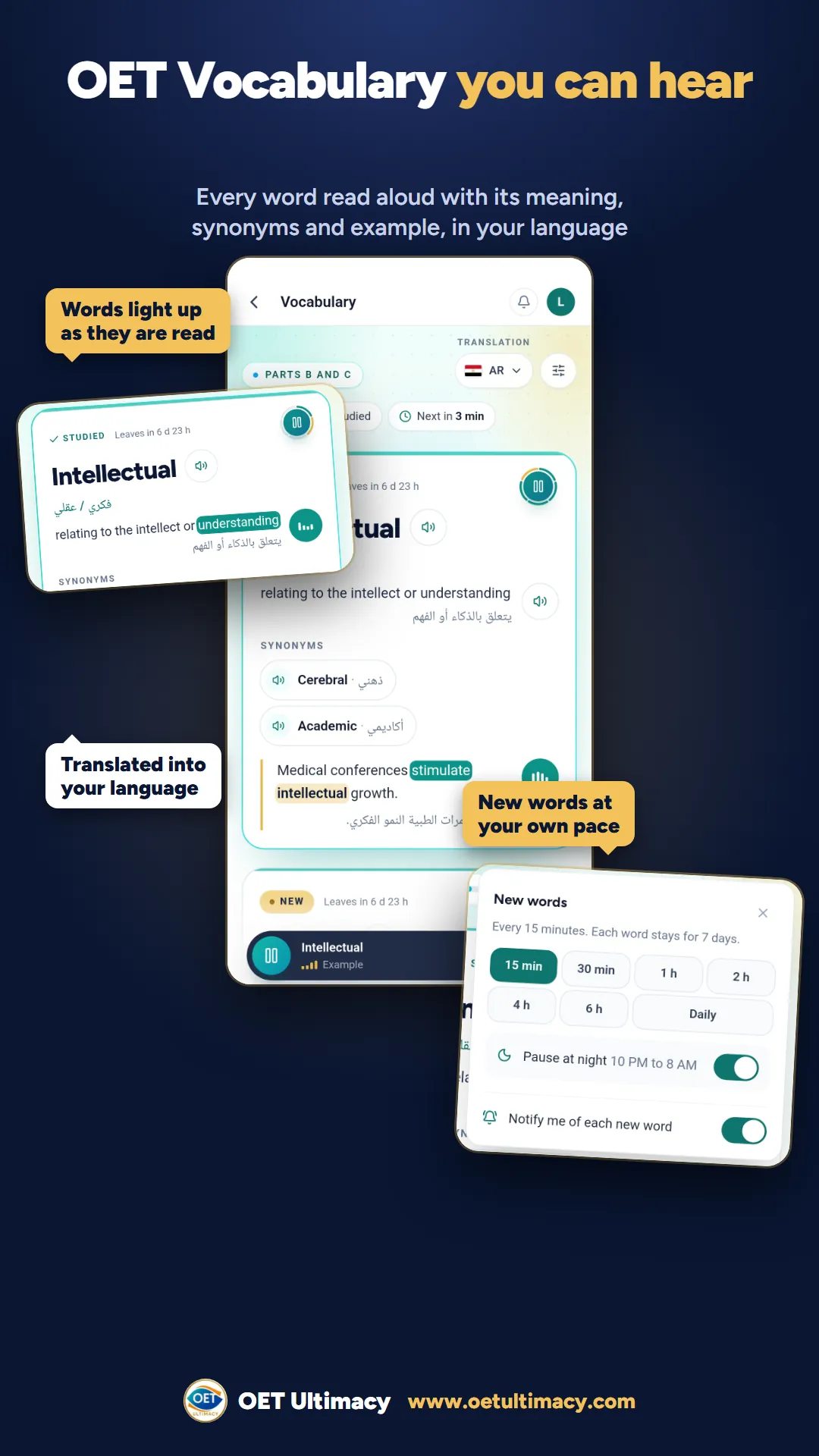
Your OET study plan, day by day
A study planner that builds your plan day by day, up to your exam date, with lectures, practice and mocks for every day, so you always know what to do next.
OET study planner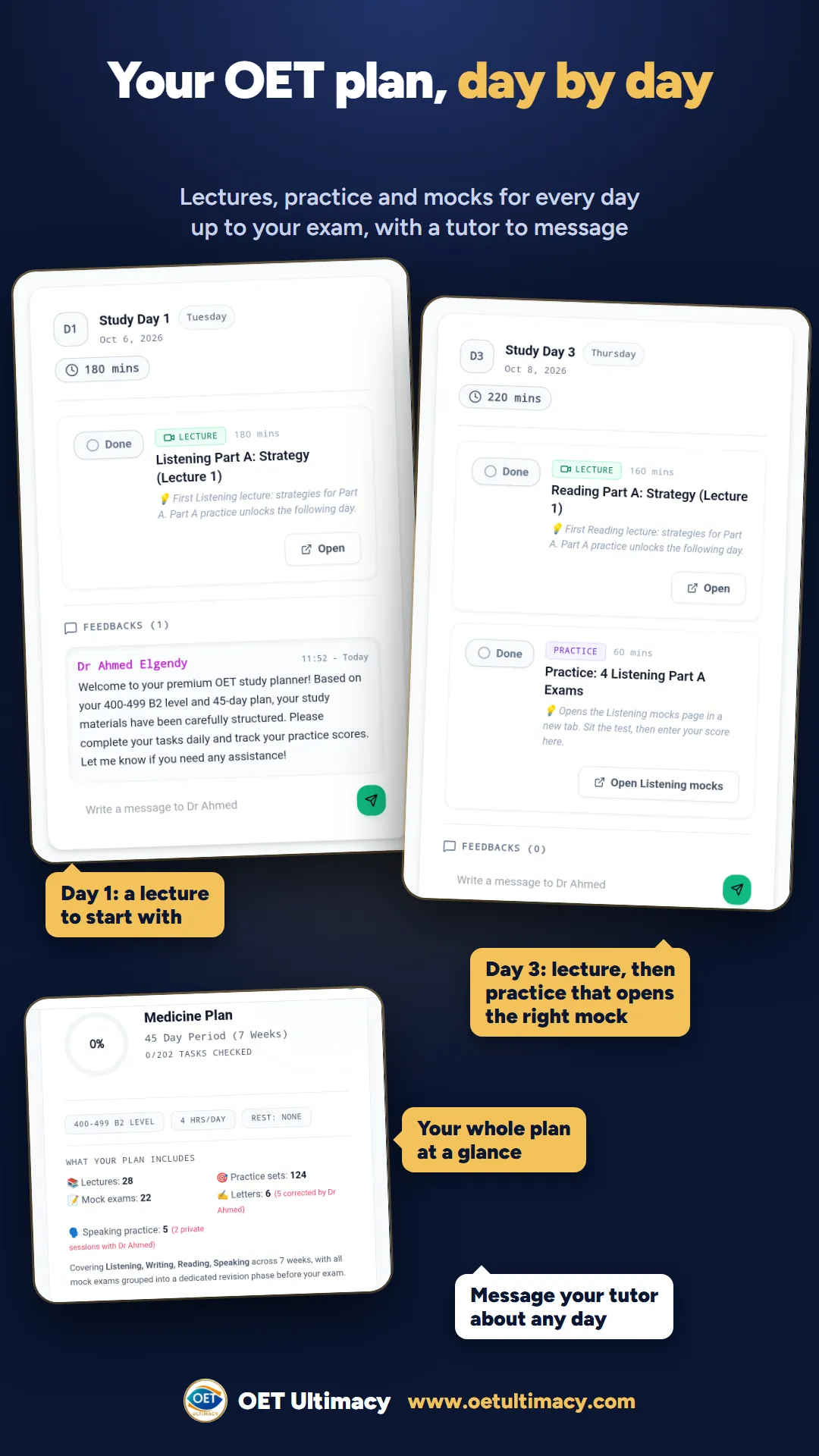
Also in the app
- OET sample tests for Listening and Reading, in computer-based and paper-based formats.
- OET Speaking role-play cards to practise with.
- Live Practice: sit timed OET tests at the same time as other candidates and compare your results.
- OET courses: video lessons and lectures for all four subtests, letter corrections and Live Speaking Sessions with a tutor.
- Word notifications for Listening Part A and OET Vocabulary, at the pace you choose.
- Ultimacy Premium and courses, bought inside the app through Google Play.
How to install the OET Ultimacy app
- Open Google Play. On your Android phone, tap the Google Play button on this page, or open the Play Store and search for OET Ultimacy.
- Check it is the right app. Look for OET Ultimacy: Practice Tests by OET Ultimacy, with the gold OET Ultimacy logo.
- Tap Install. Wait for the download to finish, then tap Open.
- Sign in. Type your email and the 6-digit code we send you, or sign in with Google.
- Carry on where you left off. If you already use www.oetultimacy.com, sign in with the same email: your progress, your study plan and your Premium or course are already there.
On a computer? Open the Google Play page while signed in to the same Google account as your phone and choose Install: Google Play sends the app to your phone.
One account on your phone and your computer
The app and the website share one account. Practise Part A words on the bus, sit a full computer-based mock on your laptop at home, and your scores, your study plan and your Premium or course follow you. On an iPhone or iPad, open www.oetultimacy.com in Safari: all the practice in the app is on the website too.
For every OET profession
OET Listening and Reading are the same for every profession, so the OET Ultimacy app works for nurses, doctors, pharmacists, dentists, physiotherapists and every other healthcare profession that sits the OET.
Made by OET Ultimacy

OET Ultimacy was founded by Dr Ahmed Elgendy, licensed medical doctor and certified OET instructor. The app carries the same OET Listening practice tests, OET Reading mocks and OET Vocabulary as the website.
OET Ultimacy app: frequently asked questions
What is the OET Ultimacy app?
Is there an OET Ultimacy app for Android?
How do I download the OET Ultimacy app?
Does the app cost anything to download?
Can I use my website account in the app?
What can I do in the OET Ultimacy app?
Does the app send notifications?
Is there an OET Ultimacy app for iPhone?
Who is the OET Ultimacy app for?
Is this the official OET app?
Get the OET Ultimacy app
OET Listening and Reading mocks, Part A words, Writing, Speaking and Vocabulary, on your Android phone.