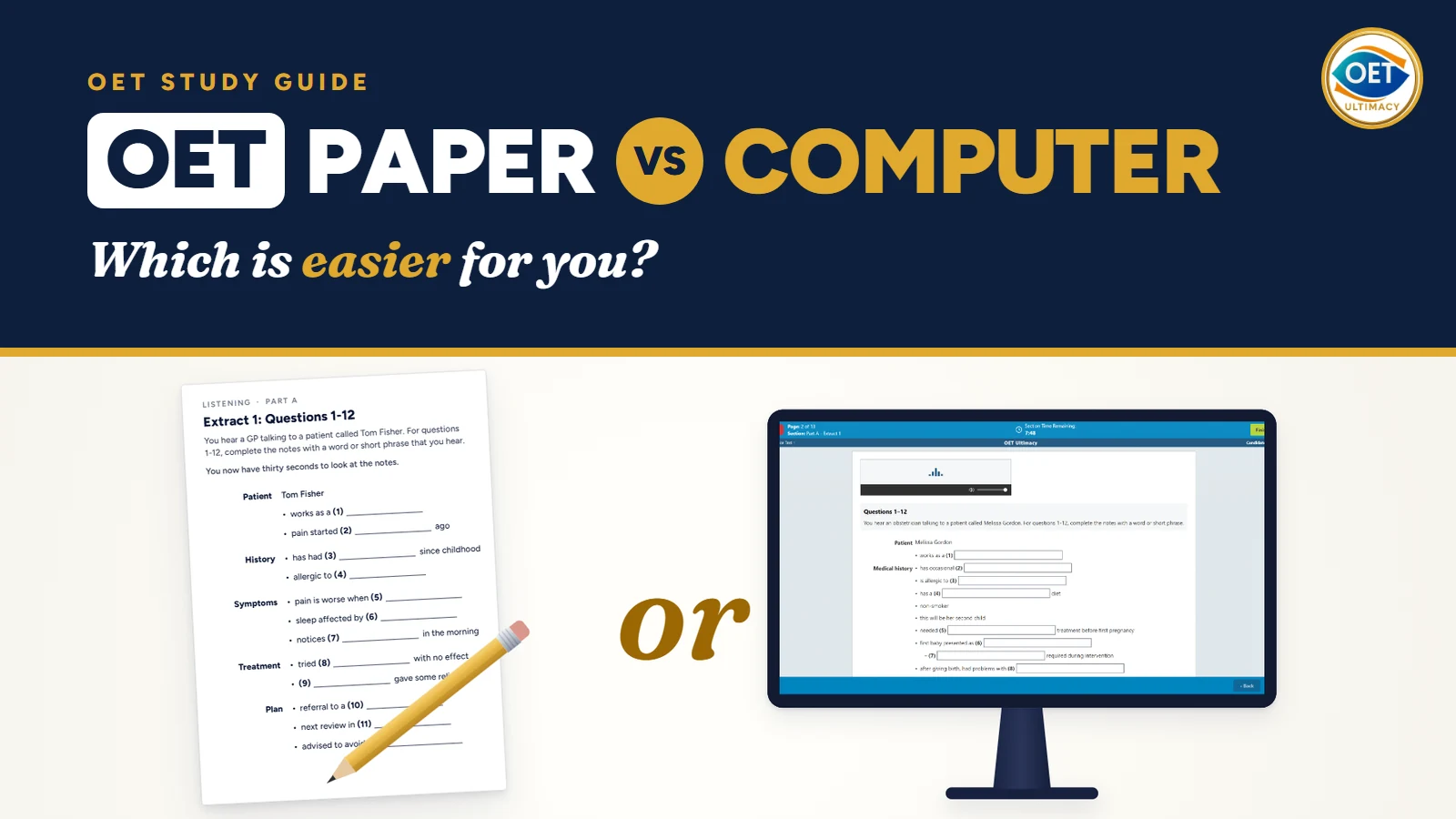
Short answer: OET on paper and OET on computer are the same test. The questions, the difficulty and the marking are the same, and your score depends on your English, not on the format. What changes is how you sit the test: where you take Speaking, how the Listening recording runs, and whether you write by hand or type. In one line: paper gives you more time to read, and the computer gives you more time to check.
OET paper vs computer at a glance
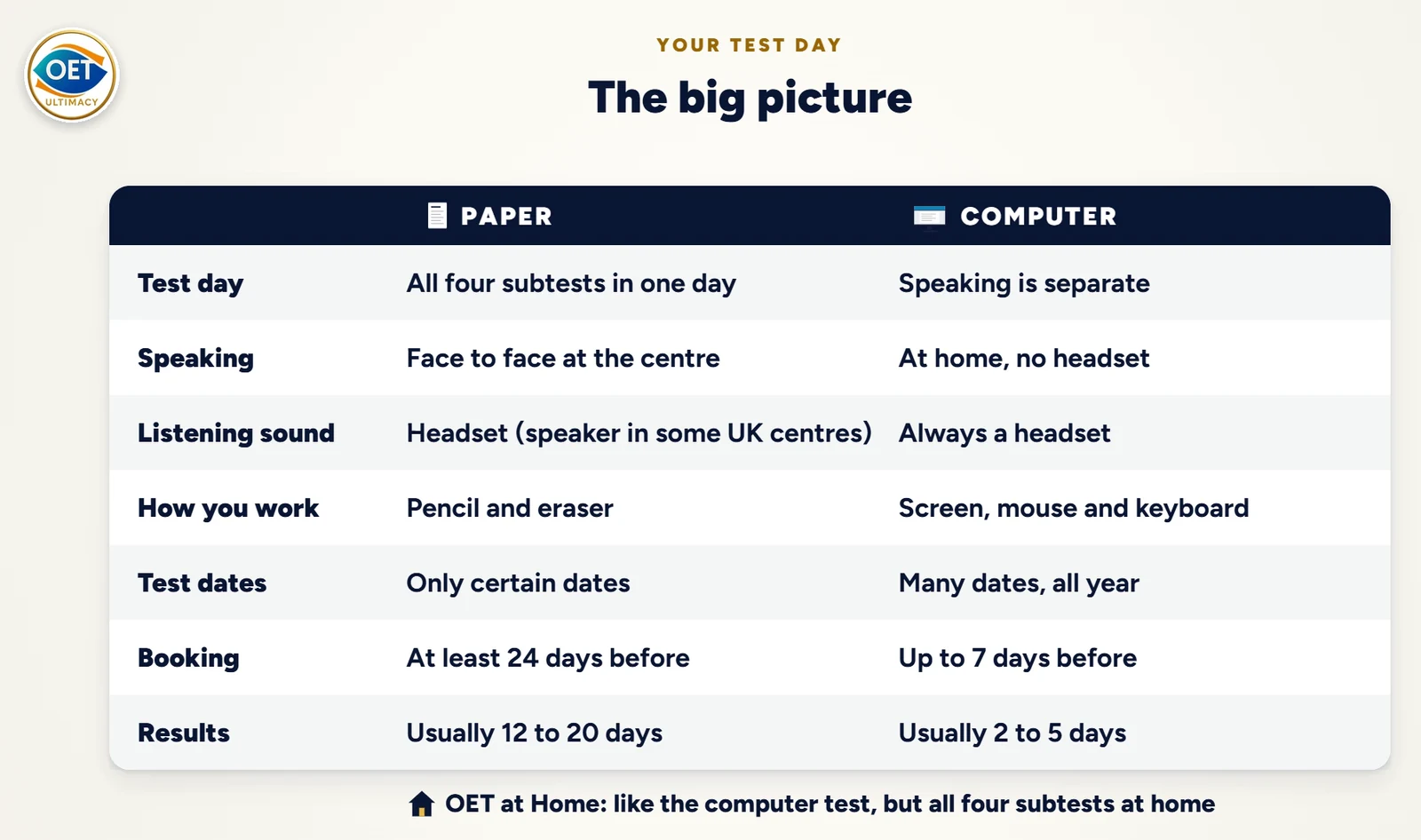
| OET on paper | OET on computer | |
|---|---|---|
| Test day | All four subtests on one day at the test centre | Listening, Reading and Writing at the test centre. Speaking is separate. |
| Speaking | Face to face at the test centre | At home, on camera, no headset |
| Listening sound | A headset at most centres. Some centres play a speaker to the whole room. | Always a headset |
| How you work | 2B pencil and eraser | Screen, mouse and keyboard |
| Test dates | Only certain dates | Many dates all through the year |
| Booking | At least 24 days before the test | Up to 7 days before the test |
| Results | Usually 12 to 20 days | Usually 2 to 5 days |
OET at Home works like the computer test, but you take all four subtests at home.
Your test day on paper and on computer
On paper, you take all four subtests on the same day at the test centre: Listening, then Reading, then Writing. After Writing, you wait at the centre for your Speaking time. It may start soon, or you may wait one or two hours. Speaking is face to face with a real person, in a room at the test centre.
On computer, you take Listening, Reading and Writing together at the test centre, wearing a headset. Speaking is separate: you take it at home, on a date you choose, before or after the other subtests. You need a computer or laptop with a camera and a microphone. Headsets are not allowed in Speaking.
Before you book, check two things:
- Which formats your country offers. Search for your country on the OET booking page.
- What the body you are applying to accepts. Ask them or read their official website. Find out which formats they accept, whether you can repeat one subtest only, and whether you can combine results from two tests. Rules differ between bodies and change over time.
Listening: where paper and computer differ most
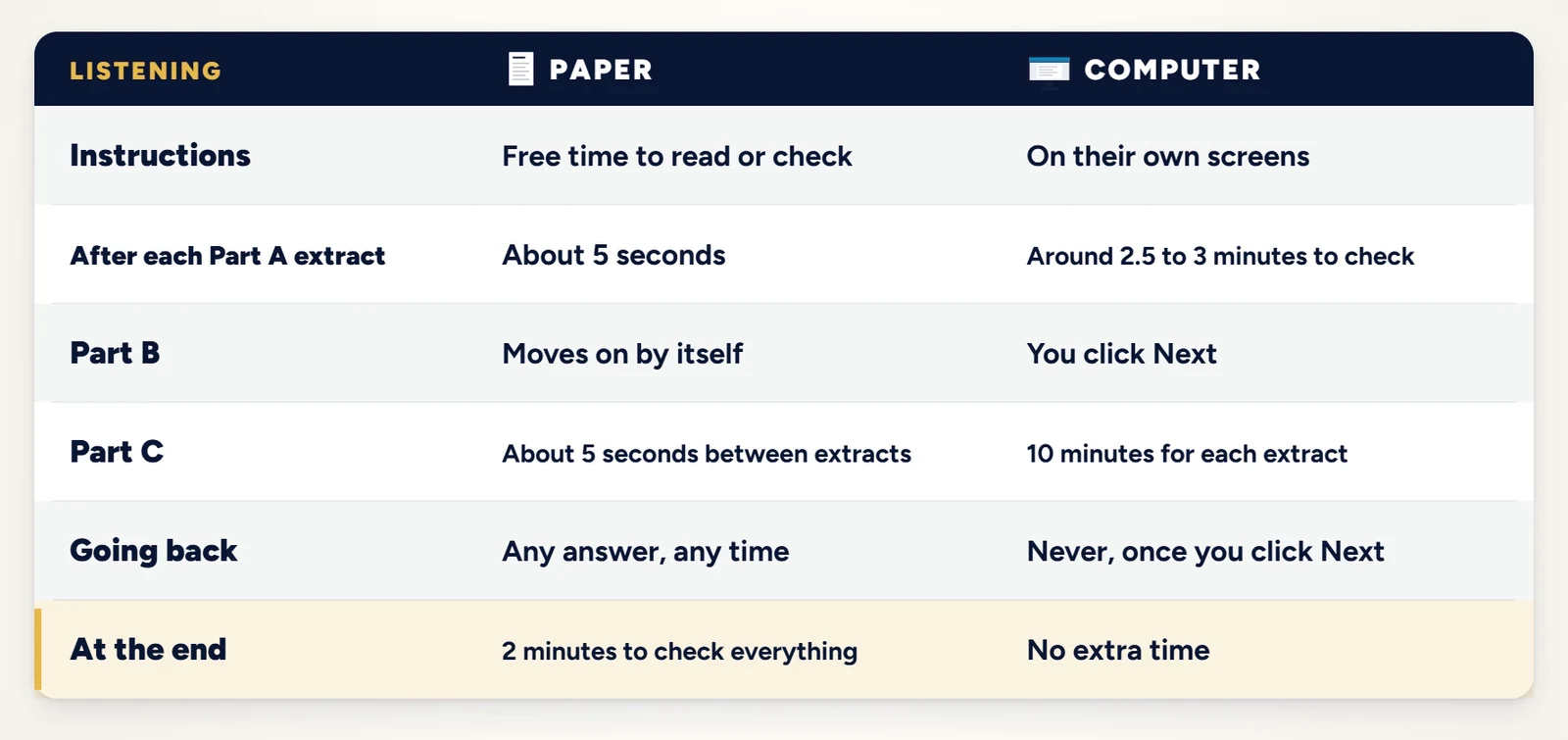
On paper, the recording is one long track that never stops.
- The instructions at the start last about 50 seconds. You know them from your practice, so use this time to read the questions of Part A extract 1, and extract 2 if you are fast.
- Each Part A extract starts with 30 seconds to look at the notes, then a conversation of around five minutes that you hear once. After about five seconds of silence, the next extract starts by itself.
- The Part B instructions (around 35 seconds) are a chance to go back and check Part A.
- Part B has six short extracts with about 15 seconds to read each question. The recording moves on by itself.
- Part C has two longer extracts, each with 90 seconds to read its six questions.
- You can change any answer, in any part, at any time. At the end, you get two minutes to check the whole test.
On computer, each part has its own screens and its own clock.
- The instructions are on separate screens with a one-minute clock and no questions, so you cannot use them to read ahead.
- Each Part A extract has an 8-minute clock. The audio ends before the clock does, which leaves around 2.5 to 3 minutes to check that extract.
- The six Part B questions share one 10-minute clock. You see one question at a time and click Next to move on.
- Each Part C extract has its own 10-minute screen, with all six questions on one page.
- Once you click Next, you cannot go back. There are no extra two minutes at the end.
Reading: same time, different way to mark the text
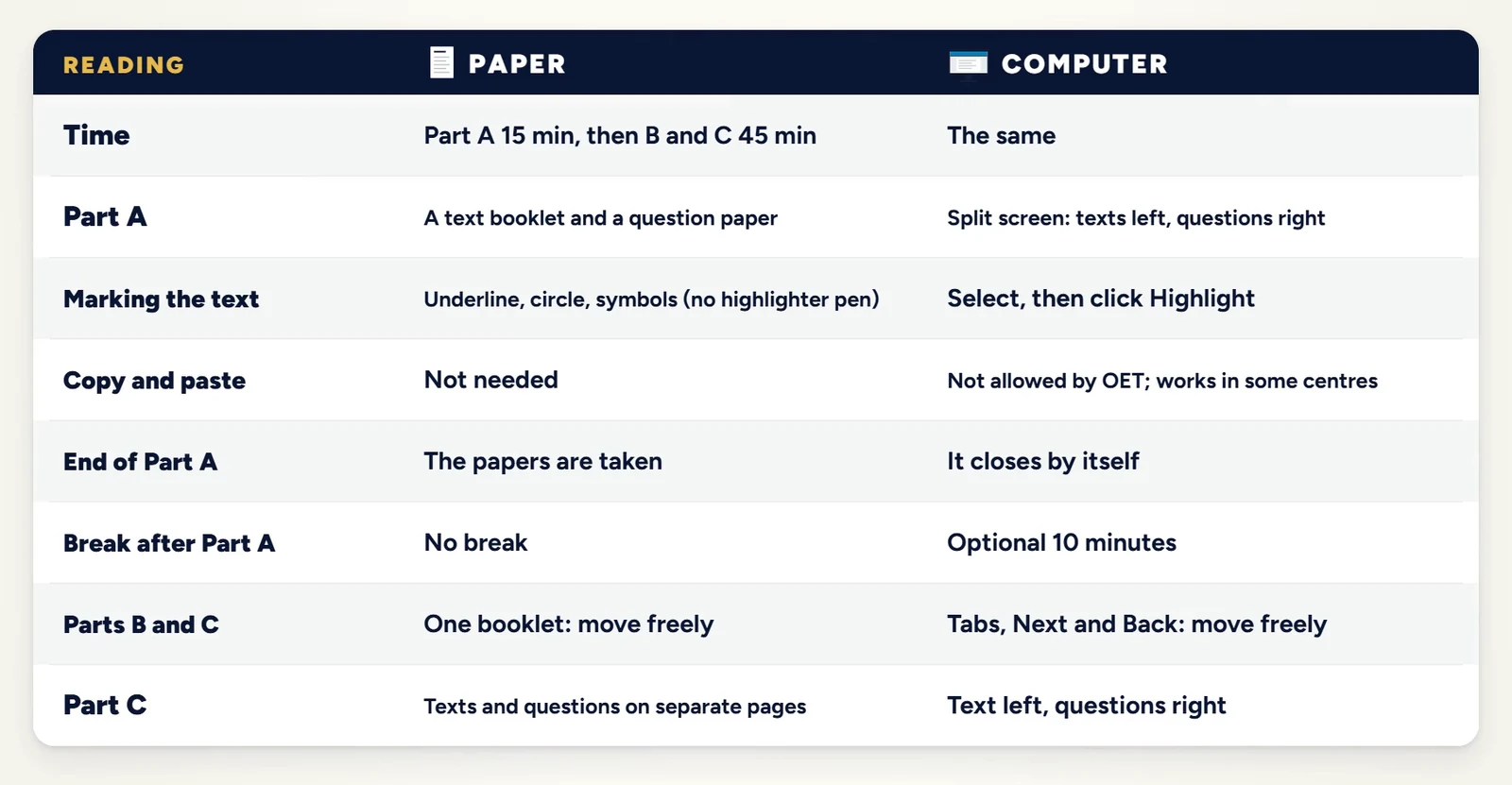
Reading has the same timing in both formats: 15 minutes for Part A, then 45 minutes for Parts B and C together.
- On paper, Part A comes as a text booklet and a question paper. You can underline, circle and use your own symbols. The Part A papers are collected after 15 minutes. Parts B and C come in one booklet that you can move through freely.
- On computer, Part A is a split screen: texts on the left, questions on the right. To mark the text, select the words and click Highlight. Part A closes by itself after 15 minutes, and then you can take an optional 10-minute break. If you leave the room, the security check on your way back takes about 5 to 10 minutes, and Parts B and C start by themselves when the break ends. In Parts B and C, you can move between the questions with no limits.
- Copy and paste is not allowed by OET. Some candidates say that Ctrl+C and Ctrl+V still work at their centre, but this is not the same everywhere, so ask people who sat the test at your centre.
Writing: same 45 minutes, pencil or keyboard
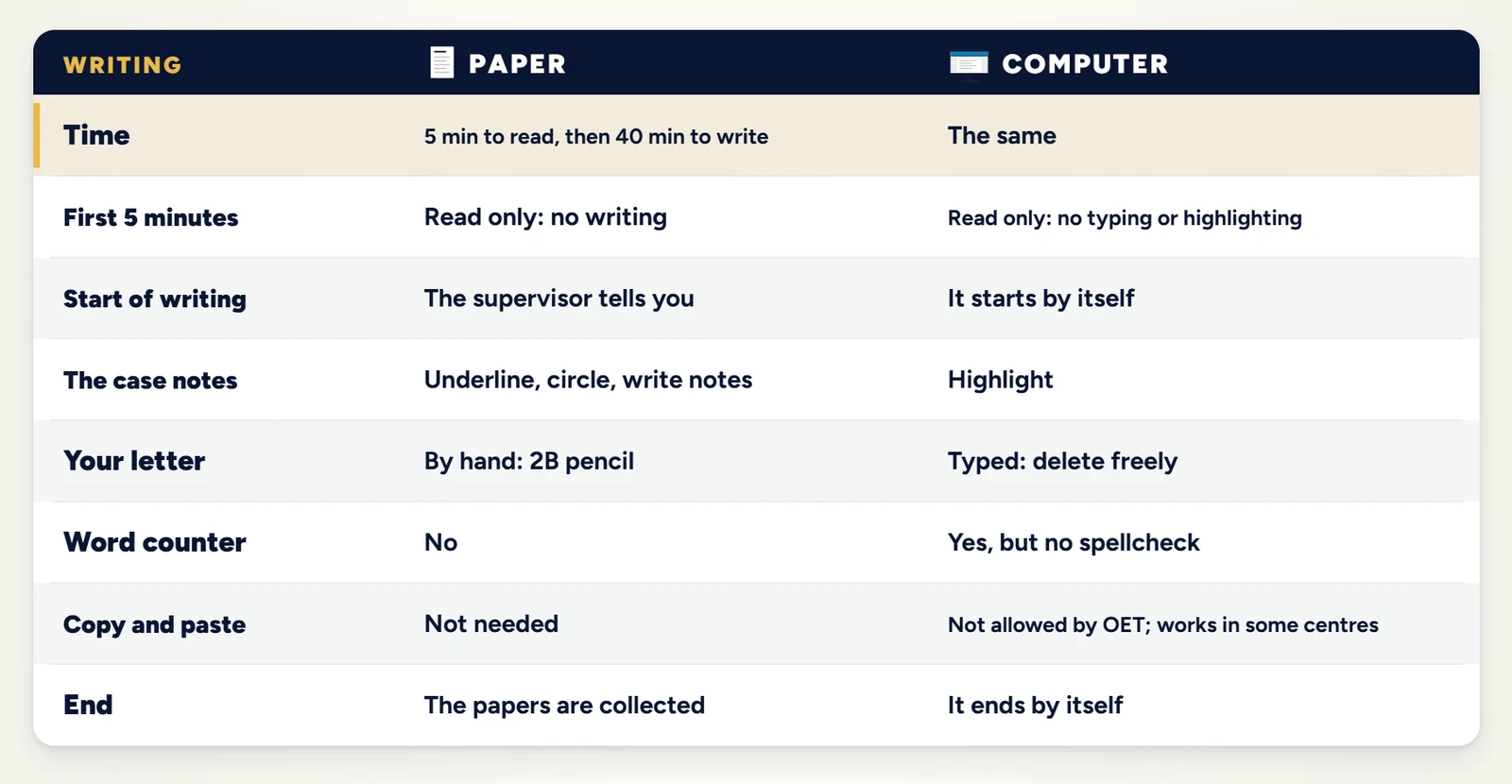
Both formats give you 5 minutes to read the case notes, then 40 minutes to write your letter. In the 5 minutes, you cannot write, type or highlight.
- On paper, you write your letter in the answer booklet, on pages 2 and 3. Only these two pages are marked. There is an extra page for your draft, and it is not marked. Your handwriting is not marked, but it must be easy to read. When the 40 minutes end, there is no extra time to check.
- On computer, the case notes stay on the screen while you type, and you can highlight them. You can type and delete as much as you want. There is a word counter, but no spellcheck. The test ends by itself after 40 minutes.
Tip for paper: use a 2B pencil, not a pen. You will need to erase, and some centres only allow pencils. Bring about six sharpened pencils, because there is no time to sharpen one.
Speaking: face to face or at home
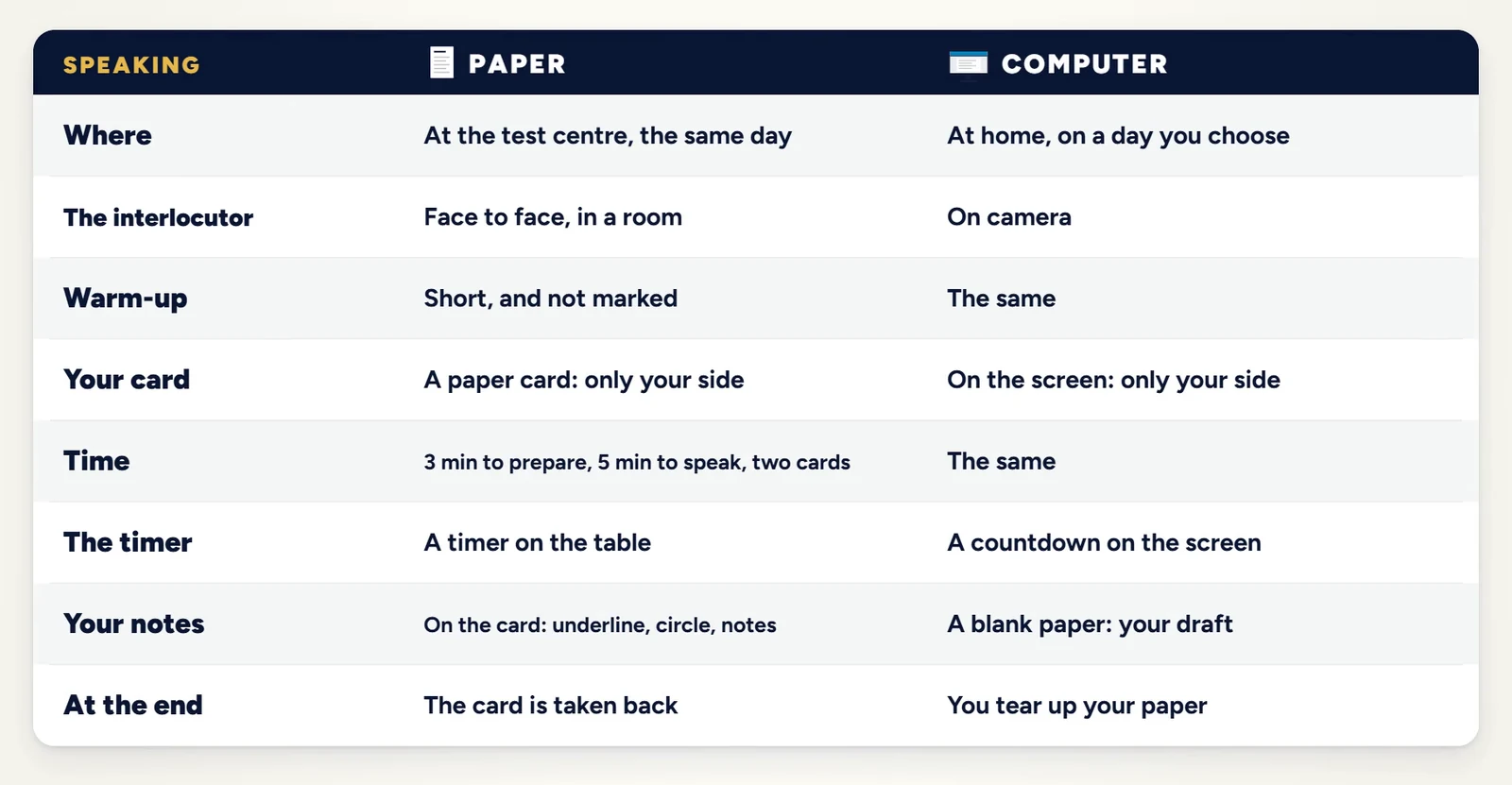
The role plays are the same in both formats: a short warm-up that is not marked, then two role-play cards, each with 3 minutes to prepare and 5 minutes to speak. The interlocutor does not mark your test. OET assessors mark the recording later.
- On paper, Speaking is on the same day, face to face, at the test centre. Your card is on paper and shows only your side of the role play. There is a timer on the table, and you can write notes on the card.
- On computer, Speaking is at home, on OET's own Speaking Platform in a secure browser. You need a quiet room with good light, no other people and no other electronic devices, and a computer or laptop with a camera and a microphone. Your card appears on the screen with a countdown. You write your notes on one blank sheet of paper, and you tear it up at the end.
Is the paper test harder than the computer test?
No. The difficulty is exactly the same on paper and on computer, and both are marked in the same way. Your result depends on your performance, not on the format. The idea that OET is easier in some countries is a rumour from personal experiences, and it is not true: the test is the same in every country.
Which one should you choose?
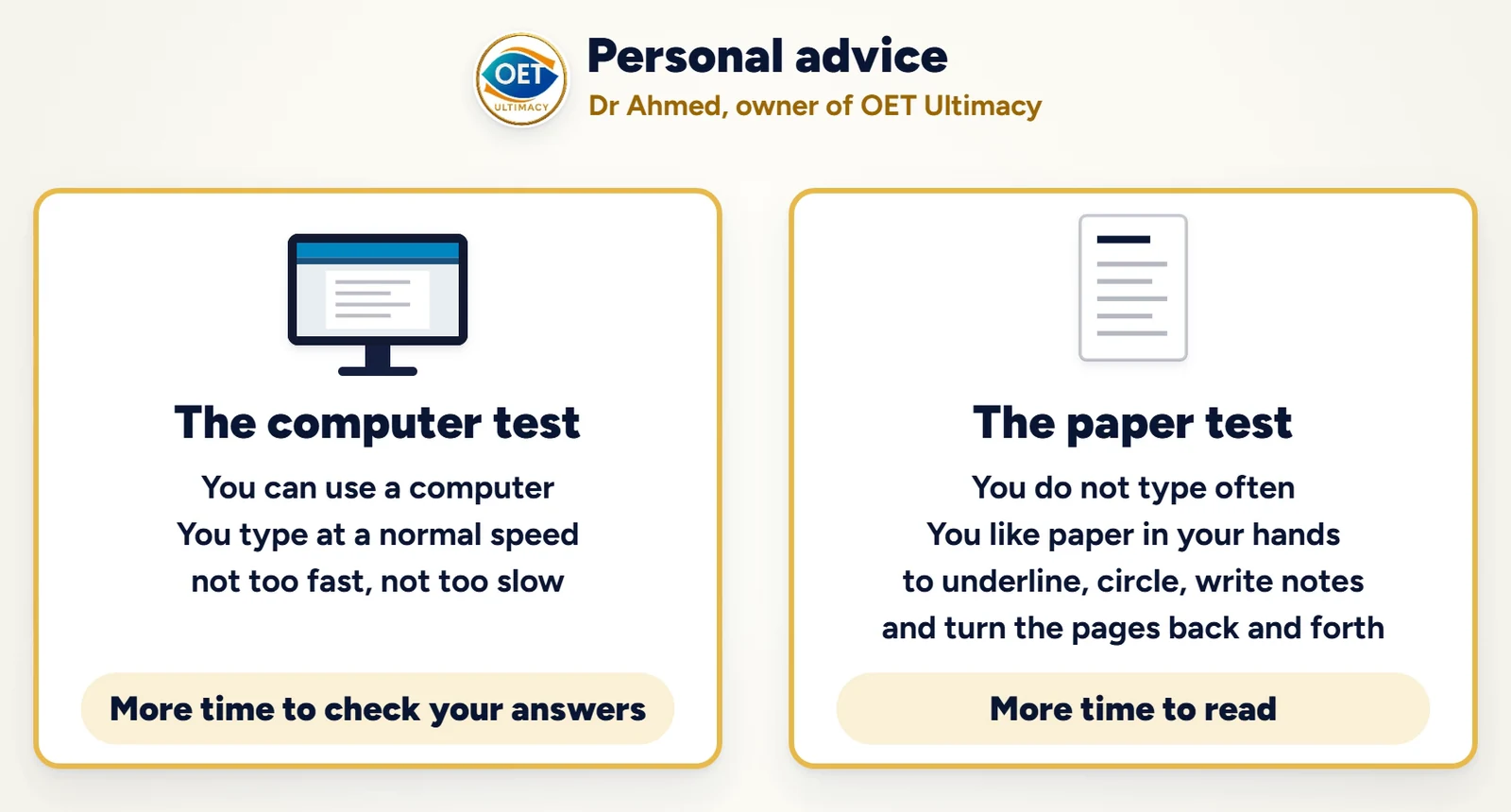
- Choose the computer if you use a computer comfortably and type at a normal speed, not too fast and not too slow. It gives you more time to check your answers.
- Choose paper if you do not type often and you like to hold the paper in your hands: to underline, circle, write notes and turn the pages back and forth. It also gives you more time to read, because of the instruction time in Listening.
Whichever you choose, practise in that format. On OET Ultimacy you can sit OET Listening mocks in paper mode or computer mode, OET Reading mocks that work like the real computer test, and Writing practice with the same timer and word counter as the exam. Our OET Speaking cards are free to practise.
Frequently asked questions
Is OET on computer easier than OET on paper?
No. Both formats use the same test, the same difficulty and the same marking. The computer gives you more time to check your Listening answers, and paper gives you more time to read the questions.
Can I go back and change my answers in OET Listening on computer?
No. Once you click Next, that part closes and you cannot go back to it. On paper, you can go back to any answer at any time, and you get two minutes at the end to check.
Is there a word counter in OET Writing on computer?
Yes. The computer test has a word counter, but it has no spellcheck.
Is my handwriting marked in OET Writing on paper?
No, but it must be easy to read. Only pages 2 and 3 of the answer booklet are marked.
Can I use a headset in OET Speaking at home?
No. Headsets are not allowed. You need a computer or laptop with a camera and a microphone, in a quiet room with no other people.
How long do OET results take on paper and on computer?
Usually 2 to 5 days after the computer test, and 12 to 20 days after the paper test.
How late can I book OET on paper or on computer?
You must book the paper test at least 24 days before the test date. You can book the computer test up to 7 days before.
Is OET at Home the same as the computer test?
Yes, it works the same way, but you take all four subtests at home: Listening, Reading, Writing and Speaking.
Does my regulator accept the OET computer test?
Ask the body you are applying to, or read its official website. Rules differ between bodies and change over time. Ask also whether you can repeat one subtest only, and whether you can combine results from two tests.
Video chapters
- 0:00 The big questions: paper or computer?
- 1:27 Your test day on paper and on computer
- 5:56 Listening on paper
- 9:53 Listening on the computer
- 13:33 Listening side by side
- 15:16 Reading on paper and on computer
- 19:46 Writing on paper and on computer
- 23:21 Speaking face to face or at home
- 27:52 The big answers
- 29:32 Personal advice: which one is for you?
OET Ultimacy is an independent OET preparation provider and is not affiliated with OET or Cambridge Boxhill Language Assessment. Test rules and booking options can change, so always check oet.com and the body you are applying to.